

You have stories worth filming even if your Tuesday looks ordinary. The problem is rarely a lack of material. It is learning to spot the useful lesson, decision, or change hiding inside the life you already live. These video ideas for midlife creators start there, without asking you to chase trends or act like someone else.
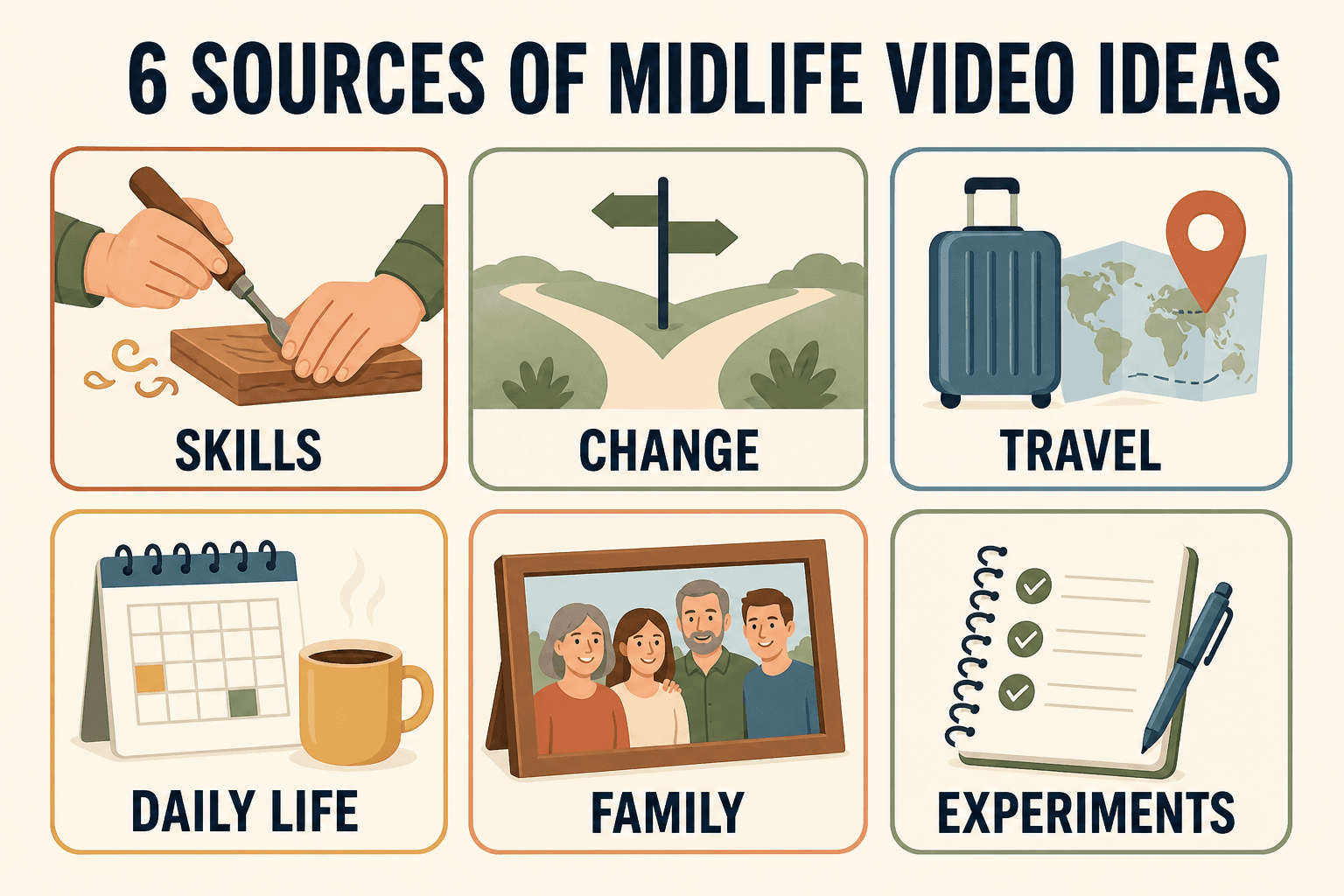
Midlife creators can make videos about skills they use, changes they are living through, travel decisions, family stories, everyday systems, and honest experiments. Choose one topic that answers a real question, makes one specific promise, and can be filmed with the time, access, and gear you already have.
Please note this page may contains affiliate links. If you purchase something through these links, I’ll receive a commission at no extra cost to you. Affiliate links help to support my website/blog and I only recommend products I love.
YouTube is not just a young person’s platform. In a report published February 28, 2025, Pew Research Center found that 86% of U.S. adults ages 50 to 64 use YouTube. That does not mean all of them want to create. It does mean your age group is already there, watching, searching, and looking for useful voices.
There is another advantage to starting later. You have more before-and-after stories. You know which advice did not hold up, which shortcuts cost more in the end, and which small choices made daily life easier.
D and J treat their own channel as one part of a larger content system. One honest topic can become a video, article, podcast discussion, or newsletter without inventing a different version of your life for each format.
Video Ideas for Midlife Creators Who Teach What They Know
The easiest place to begin is the question people already ask you. You do not need to be the world’s top expert. You need enough experience to explain one useful thing clearly, including the parts that confused you at first.
1. Teach a skill you use every week
Show one repeatable task you can do without searching for instructions. It could be organizing trip documents, backing up phone photos, using a spreadsheet, repairing something small, or preparing a family recipe. Keep the promise narrow enough that a viewer can follow it in one sitting.
2. Explain the beginner mistake you made
Start with what went wrong, then show the correction. “The packing mistake that cost me an hour at the airport” is more useful than “my best packing tips” because the viewer can see the consequence. Be specific about what you would do differently now.
3. Record a three-step how-to
Choose a task with a clear start, middle, and finish. If you need a model, this guide to recording a useful how-to for your family shows why the small details matter. Film the hands, tools, screen, or ingredients if you do not want your face on camera.
4. Share a tool you stopped using
Most reviews focus on what to buy. A video about what you quit can be more honest. Explain what problem you hoped the tool would solve, where it added friction, and what simpler method replaced it. Avoid declaring it bad for everyone.
5. Show a process before and after
Film the messy starting point, the key steps, and the result. A photo backup cleanup, a closet sort, or a travel-planning session works because the change is visible. Tell the viewer which step made the biggest difference and which one took longer than expected.
6. Answer the question friends always ask
Write down the last five questions someone texted or called you about. One of them is probably a video. If friends ask how you find cruise deals, organize family photos, or plan meals for two, there are likely strangers asking the same thing.
7. Correct advice that no longer fits
Revisit a rule you followed in your 20s or 30s. Maybe you no longer pack for every possibility, buy the largest house you can afford, or equate a full calendar with a good life. Explain what changed your mind and who may still benefit from the old advice.
8. Compare two simple methods
Pick methods you have actually used or can test fairly. Compare paper versus app planning, a carry-on versus checked bag, or talking-head versus voice-over video. State the criteria before the result so the comparison does not feel rigged.
9. Make a “what I wish I knew” video
Choose one real milestone: starting a channel, changing careers, becoming an empty nester, training after 50, or taking a first cruise. A strong version gives three lessons and one thing you would still do the same way.
10. Walk through a decision
Decision videos are useful because viewers can borrow the process even when they choose differently. Show the options, the tradeoffs, the deciding factor, and what would make you reconsider. The value is in the reasoning, not proving your choice was perfect.
Film the Changes, Trips, and Ordinary Days You Are Living
You do not need to wait until a change is finished before you talk about it. A thoughtful progress report can be more credible than a polished success story. Say what you know, what you do not know yet, and what you are testing next.
11. Keep a career-change diary
Record one short update at each stage: the first conversation, the skills audit, the application, the rejection, or the first week. Protect private employer details. The useful thread is how your thinking changes as new information arrives.
12. Document a downsizing decision
Do not film only the donation pile. Pick one difficult category such as family furniture, hobby gear, or files. Explain the rule you tried, where it failed, and how you made the final call. That is the part viewers can use.
13. Share a fitness restart
Focus on showing up again, not presenting yourself as a coach. You can document the plan you discussed with a qualified professional, the schedule you can maintain, and the small measure you are tracking. Avoid medical promises and personal prescriptions for viewers.
14. Learn a new tool in public
Choose one task and record the first attempt. A beginner’s questions often make a better tutorial than an experienced user’s shortcuts because other beginners recognize the sticking points. State clearly when you are testing rather than teaching settled facts.
15. Talk through an empty-nest adjustment
Choose one concrete shift, such as cooking for two, changing a spare room, or planning weekends differently. You do not need a grand lesson. The value may be naming a mixed feeling that viewers have not heard described plainly.
16. Run a seven-day experiment
Test one small change for a week and define success before you begin. You might try a phone-free first hour, a daily walk, or recording one private clip each day. Report the missed days and annoyances along with any benefit.
If a new chapter has you comparing your progress with everyone else’s finished result, read this piece on how to build confidence when you feel behind. It is a better starting point than pretending the comparison never happens.
17. Explain one travel-planning choice
Show how you chose a neighborhood, cabin, flight time, excursion, or insurance option. State your priorities and constraints first. A couple who values quiet mornings may make a different choice from a family trying to fit the most activities into four days.
18. Tell the story of one travel mistake
Use a mistake with a practical lesson, not a complaint. Explain what you assumed, what happened, and the check you use now. Your wrong train, overpacked suitcase, or missed reservation becomes useful when the viewer leaves with a preventive step.
19. Film a local day trip
Treat a nearby place with the same care you would give a major destination. Answer a useful question: Is it worth half a day? Where is parking easiest? What would you skip next time? A modest place can make a strong video when the promise is clear.
20. Turn photos into a narrated story
Choose five to eight photos from one trip or event and explain why each moment mattered. This guide to turning travel photos into a story can help you find a beginning, change, and ending instead of presenting a slideshow with no thread.
Capture Family Knowledge and Honest Experiments
Some of the most valuable videos will never need a large public audience. A video watched by twelve relatives can matter more than one watched by twelve thousand strangers. Decide who the video is for before deciding where it belongs.
21. Record a family recipe
Film the texture, timing, and small judgment calls the written recipe leaves out. Ask why the dish appears at certain gatherings and who taught it. The food is the action, but the memory gives the video its reason to exist.
22. Tell the story behind one object
Choose a photograph, tool, piece of jewelry, ticket, or worn recipe card. Explain where it came from, what happened around it, and why someone kept it. One object gives the story a natural boundary and useful visual detail.
23. Share a lesson from a parent or grandparent
Avoid turning the person into a perfect character. Describe the moment, the exact advice if you remember it, and how your understanding changed with age. If the wording is uncertain, say that rather than rebuilding a quote from memory.
24. Show a value in practice
“Work hard” is abstract. Teaching a grandchild to repair a loose hinge, bringing food to a neighbor, or keeping a promise after it becomes inconvenient makes a value visible. The action carries more weight than a lecture.
25. Answer a future family question
Imagine a child or grandchild asking why you made a major choice. Record the answer now. This could cover a move, career, marriage, trip, or decision to simplify. Our guide to writing your life story before the details fade can help surface the moments worth preserving.
26. Interview one relative about one chapter
“Tell me your life story” is too broad for one conversation. Ask about a first job, a move, a family tradition, or a house they remember. Follow the sensory details: what the place sounded like, what things cost, and what a normal day looked like.
27. Revisit a belief you changed
Name the old belief without mocking the person you were. Explain which experience or evidence made it harder to hold, then describe what you believe now. This works well for money, work, travel, family roles, health habits, and success.
28. Document one small project
Film the plan, the work, the mistake, and the result. A balcony garden, scanned photo album, repaired chair, or first three-minute video has enough movement to hold attention. Viewers often want a believable project more than an impressive one.
29. Share what did not work
Choose a failed routine, tool, or plan and explain why it failed for you. Separate personal fit from a universal verdict. Then give the adjustment you are trying next. Honest limits make the useful part easier to trust.
30. Make the video you needed five years ago
Picture one specific past moment when you felt confused, stuck, or alone. What clear explanation would have helped? Make that video for the person standing there now. It may be the most focused idea on this page because you already understand the question.
If the next step still feels too large, use this phone-only guide to make your first short video. One private practice clip counts. It gives you something real to improve.
Want more like this? Join our newsletter and discover more midlife tools and knowledge we’re actually using.
Pick One Idea With the Useful, Specific, Filmable Test
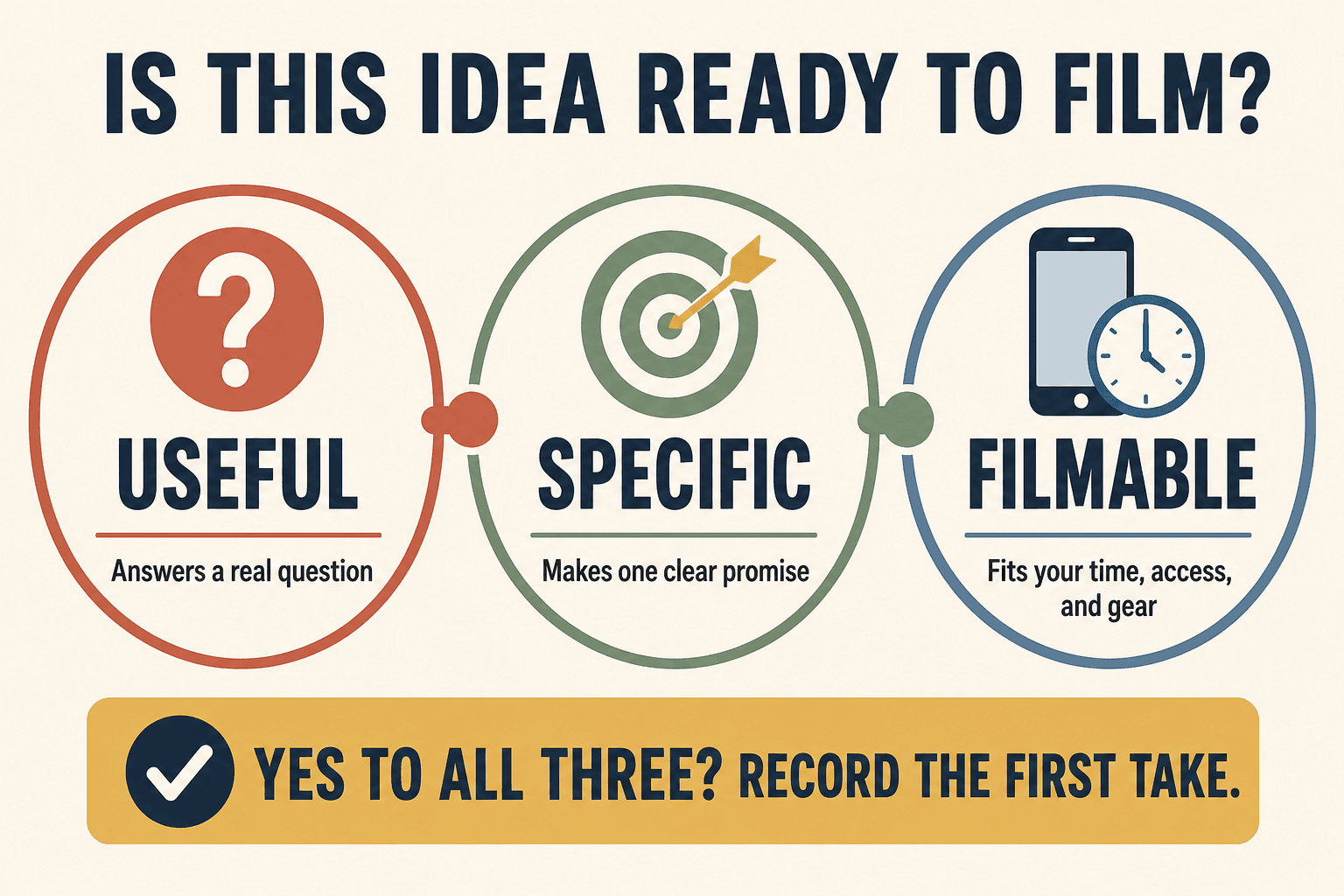
A long list can become another form of delay. Run your favorite idea through three filters.
First, is it useful? Name the question it answers or the feeling it helps the viewer understand. “My morning routine” is vague. “The five-minute check that stops me from leaving chargers in hotel rooms” gives a viewer a reason to watch.
Second, is it specific? A single video should make one clear promise. “Everything I know about photography” is too large. “How I keep indoor family photos from looking yellow” is focused enough to film and search for.
Third, is it filmable now? Check your time, access, privacy, and equipment. If an idea depends on a trip six months away, choose one you can record at home this week. Starting with current access builds a body of work faster than waiting for a more dramatic setting.
YouTube offers a few ways to check an idea without handing over your judgment. The official Inspiration tab can suggest topics and estimate audience interest, but YouTube warns that its AI suggestions can be inaccurate. Its Trends tab can show searches and content gaps. Channels with an audience can also use the Audience tab to see what viewers watch.
Use those signals after you have a human idea, not instead of one. Write a working title, name the viewer, state one takeaway, list three talking points, and decide on the first shot. That is enough to move from saving ideas to recording one.
Bottom Line
The best video ideas for midlife creators are not the ones that make life look impressive. They are the ones you can explain honestly, shape around a real viewer question, and record with what you have now.
Pick one idea from this page and write its first three talking points today. Which ordinary part of your life do people already ask you to explain?
Frequently Asked Questions
What should my first video be about after 40?
Start with one question people already ask you. Share the mistake, lesson, or process in a focused video that gives the viewer one useful takeaway.
What if my everyday life feels too boring to film?
Film the decision, lesson, or change inside the routine. A useful packing choice, family recipe, budgeting habit, or learning experiment gives the viewer a reason to care.
Do I need a niche before I start making videos?
No. Begin with two or three related themes drawn from your real life. Notice which topics you enjoy making and which questions viewers respond to before narrowing further.
How do I know whether a video idea is worth filming?
Use three filters: it answers a real question, makes one specific promise, and can be filmed with your current time and access. If it passes all three, test it.
Can I make useful videos without showing my whole life?
Yes. You can film hands, objects, screens, photos, voice-over, places, or a step-by-step process. Share the part that serves the idea and keep the rest private.