
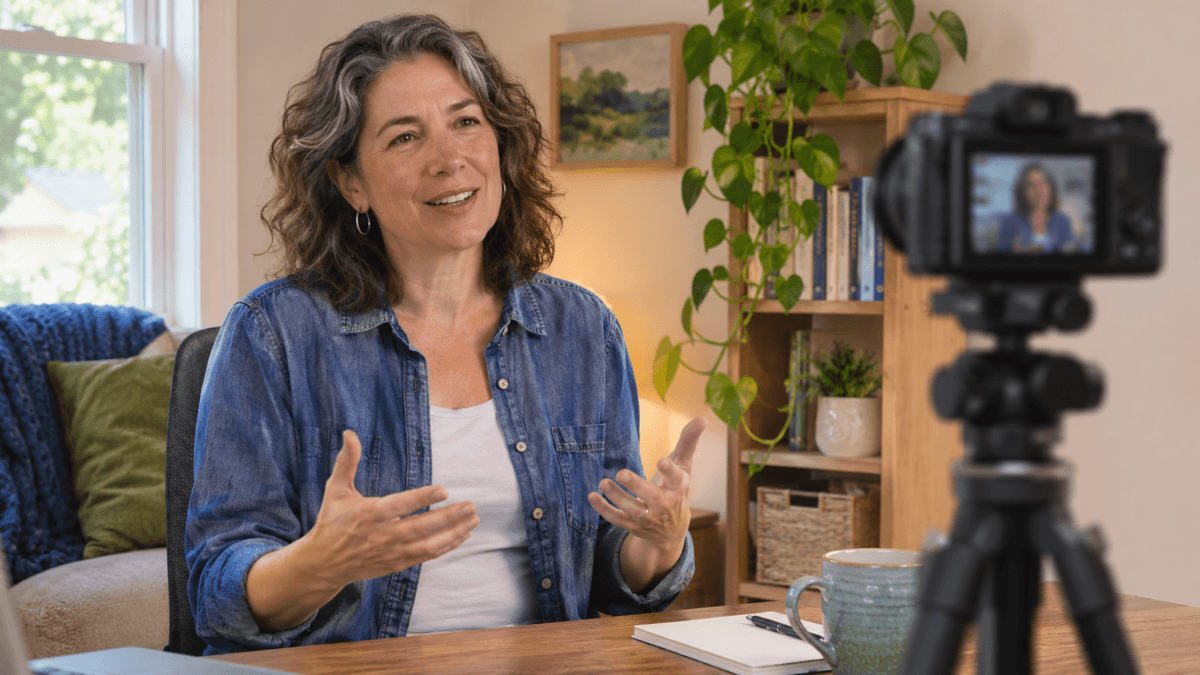
You can talk with a friend for an hour without running out of things to say. Then you press record, look into a little glass circle, and suddenly every sentence feels too long or too stiff. If you want to feel comfortable on camera, the problem may not be confidence. You may be missing the feedback that makes a normal conversation flow.
The answer is not to invent a louder personality. You need a simple way to know what the viewer is wondering, what you want to say, and when the point is finished.
To feel comfortable on camera, plan a few clear points, speak to one imagined person, and answer one viewer question at a time. Keep the preview out of your eye line if it distracts you, record a short practice take, then review only one thing before trying again.
Please note this page may contains affiliate links. If you purchase something through these links, I’ll receive a commission at no extra cost to you. Affiliate links help to support my website/blog and I only recommend products I love.
Table of Contents
- Why It Feels So Hard to Feel Comfortable on Camera
- Choose Story Mode or Teaching Mode Before You Record
- Use a Viewer-Question Ladder Instead of a Full Script
- Make the Lens Feel Like One Person
- Reduce the Distractions That Pull You Out of the Message
- Review One Thing, Then Record Again
- Frequently Asked Questions
- The Bottom Line
Why It Feels So Hard to Feel Comfortable on Camera
A real conversation gives you constant little signals. Someone nods, raises an eyebrow, laughs, asks a question, or looks confused. Those reactions help you decide whether to explain more or move on.
A camera gives you none of that.
You have to carry the message while guessing what the other person might be thinking. At the same time, you may be watching your own face in a preview window. That is a lot of attention going in different directions.
This is one reason a person who is warm and relaxed in conversation can sound more formal on video. It does not mean that person lacks personality. Solo recording is simply a different communication job.
Stanford Social Media Lab researchers reported in 2023 that mirror anxiety from self-view and the effort of producing and monitoring nonverbal cues were associated with video meeting fatigue.
Their study involved video calls, not solo recordings, so it does not prove what happens when you make a YouTube video. It does give useful context for why watching yourself while speaking can pull attention away from the message.
If the whole process still feels new, our guide to starting a YouTube channel after 40 covers the larger beginner picture. For this article, we are going to stay with one problem: how to feel comfortable on camera when nobody is there to respond.
Choose Story Mode or Teaching Mode Before You Record
Many videos feel awkward because the speaker has not decided what kind of conversation they are having. A personal story and a how-to lesson need different shapes.
For a story, use three points: what was happening before, what changed, and what you learned. You do not need to explain every side road. The viewer is following the change.
For a teaching video, use a different frame: name the problem, give the next action, show one example, and explain how the viewer can check the result. That structure helps you sound conversational without losing the steps.
Here is a simple example. Suppose you are recording a video about backing up family photos. In story mode, you might explain the moment you realized your phone held the only copies. In teaching mode, you would show where to open the backup setting, what choice to make, and how to confirm the files are there.
Both versions can sound like you. They just carry different jobs.
This distinction matters when you are trying to feel comfortable on camera. You do not have to choose between sounding natural and being useful. Give the video a clear shape first, then let your normal voice carry it.
Use a Viewer-Question Ladder Instead of a Full Script
A blank lens feels less strange when you know the next question. Before recording, write three to five questions in the order a viewer would probably ask them.
For each question, prepare four small pieces:
- The question the viewer is likely asking.
- Your one-sentence answer.
- One example that makes the answer concrete.
- A stop cue that tells you the point is finished.
Your stop cue can be as simple as, “That is the part to get right before you move on.” Then pause, look at the next question, and start the next thought.
The University of Pennsylvania School of Nursing recommends giving each video section one clear objective and removing information that does not serve it. Its camera guide also suggests short, focused sections and simple, concise sentences. That lines up well with a viewer-question ladder because each question becomes its own small section.
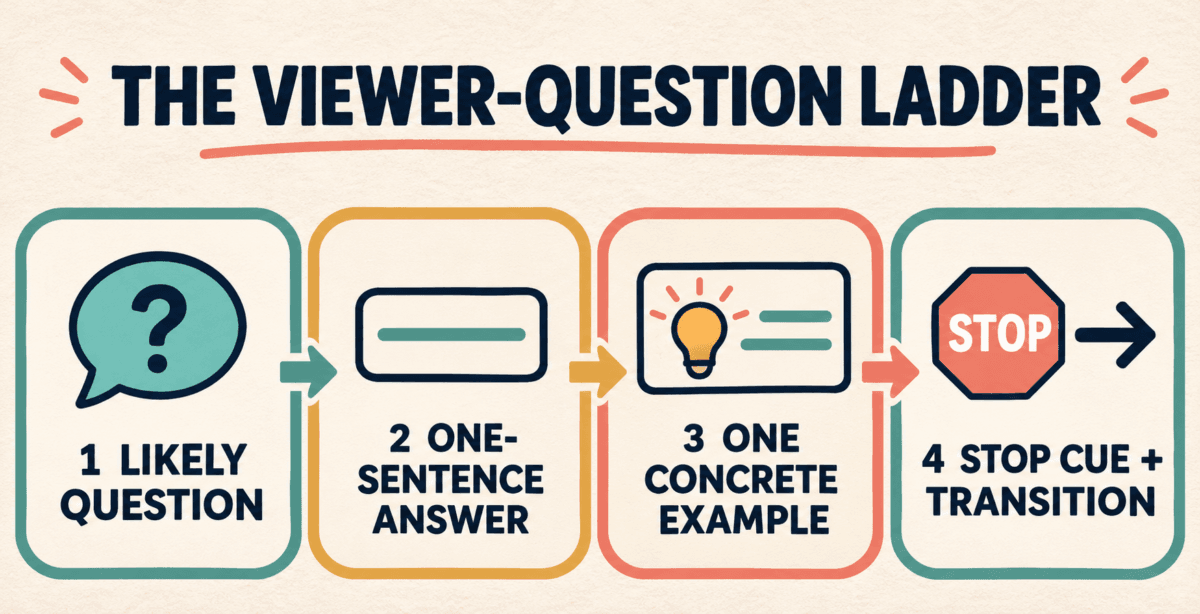
This approach gives you room to talk without forcing you to memorize paragraphs. It also answers the question that often causes rambling: “Have I said enough?” Once you have given the answer and the example, the stop cue lets you move on.
If you need to teach a physical process, our guide to recording a how-to video your family will keep shows how to break a useful demonstration into parts. The same idea works for a public video. One clear task is easier to follow and easier to record.
Make the Lens Feel Like One Person
Advice to “talk to the camera like a friend” can sound too simple. It helps only if you use it as an audience cue, not as another performance.
Pick one real type of person who needs this video. Maybe it is your sister who wants to save her photos, a friend planning a first cruise, or a coworker who keeps asking how you use an AI tool. Put the lens near eye level and answer that person’s next question.
Do not try to invent every reaction they might have. You are not responsible for acting out both sides of the conversation. Your outline already carries the questions. Your job is to answer them clearly.
The University of Wisconsin-La Crosse Public Speaking Center recommends conversational volume and tone for online presentations. It also advises looking toward the camera rather than watching yourself on screen when you want consistent eye contact.
You do not have to stare at the lens without blinking. Look toward it when you deliver the main sentence. Glance at your notes between thoughts, take a breath, then come back. That rhythm feels more human than trying to hold a fixed expression.
This is where many people begin to feel comfortable on camera. The lens stops being a test, and the next question becomes the thing that matters.
Reduce the Distractions That Pull You Out of the Message
You do not need a studio. You do need a setup that is quiet enough to stop demanding your attention.
A simple setup can help you feel comfortable on camera because it leaves fewer things to monitor while you speak.
Put the camera near eye level. Check that your face is visible, record ten seconds, and listen for distracting noise. Once those basics work, leave them alone for the practice session.
If the preview keeps pulling your eyes away from the lens, frame the shot first and then move the preview window out of your eye line. Some recording apps let you hide it. You can also place a small note near the lens with the viewer’s question. Test what helps you stay with the message.
Treat this as an experiment, not a rule. Some people like seeing the frame. Others start judging every expression. The useful setup is the one that lets you pay attention to the person you are trying to help.
Gear can become a convenient delay. A new microphone may improve sound, but it cannot decide when your point is finished. A ring light may brighten your face, but it cannot make the conversation clearer. Work on the message before you shop.
Review One Thing, Then Record Again
Watching yourself can feel harder than recording. The fastest way to make it worse is to judge the words, voice, face, hands, clothes, background, and camera angle all at once.
Give each playback one job.
On the first review, ask only, “Was my main point clear?” If it was, the take did something useful. On the next recording, you can check whether you looked near the lens during the key sentence. Later, you might listen for pace or notice where a transition felt rough.
The British Council recommends reviewing recordings to build personal awareness and improve the next performance. That does not mean searching for every flaw. A narrow review gives you one change you can actually use.
Try a 10-minute practice block. Record a 60-second answer, review one thing, and record it again. Stop after three takes. The goal is to collect a small piece of evidence that the second or third attempt became clearer.
Short videos make this easier. If you are ready to post something small, make your first short video after 40 before planning a 20-minute lesson. If the blank page is the problem, choose one prompt from these 30 video ideas for midlife creators.
You may not feel completely relaxed after three takes. That is fine. To feel comfortable on camera, you need repeatable proof that you can finish a clear thought and try again.
Want more like this? Join our newsletter and discover more midlife tools and knowledge we’re actually using.
The Bottom Line
You do not need to become a presenter with a bigger voice and a fixed smile. You need a clear point, one imagined viewer, and a way to know when the thought is complete.
Start with one question and one 60-second answer. Use a story frame or a teaching frame, add one example, and stop. Then review one thing.
That is how you feel comfortable on camera without pretending to be someone else. Which part feels hardest for you right now: starting, looking at the lens, knowing when to stop, or watching the playback?
Frequently Asked Questions
Why do I feel awkward talking to a camera?
A camera removes the reactions and questions that normally help a conversation move. You may also split your attention between your message, the lens, and your own preview. That does not mean you are a poor speaker. It means solo recording asks you to manage a different kind of feedback loop.
Should I script every word before recording?
Not usually. A short map of three to five viewer questions often gives you enough structure without making every sentence sound memorized. Use a full script when precision matters, but rehearse it aloud and simplify any sentence that is hard to say naturally.
Where should I look when speaking on camera?
Look toward the lens when you want the viewer to feel directly addressed. Keep notes close to that eye line and glance at them between thoughts rather than while delivering a key sentence. A stable camera near eye level makes this easier.
What if watching myself makes me more self-conscious?
Frame the shot and check the sound first. Then move or cover the preview if your recording app allows it and if that helps you stay with the message. Treat it as a personal experiment, not a rule. Review a short take afterward when you can focus on one specific question.
How long does it take to feel comfortable on camera?
There is no fixed timeline. Comfort depends on the person, the format, and how often they record. Use short, repeatable practice takes and choose one thing to improve at a time. Progress is easier to notice when you compare specific skills instead of waiting to feel completely confident.